Time-clock app for security, cleaning and maintenance staff
An app your people use from their phone to clock in on arrival at each customer. Know in real time who is at which post, which tasks they finished and what came up.
- location_onGeofenced clock-in: the employee has to be on site to clock in
- photo_cameraPatrols with photo evidence at every checkpoint
- scheduleSeveral shifts and schedules per customer or branch
- reportAutomatic alerts when someone does not arrive or leaves early
- descriptionHour reports for payroll and for your customers
- devicesNothing to install: it runs on any phone with a browser
“We needed to be sure the security staff walked the full patrol. With geofences and photo tasks, we can stop worrying about it.”
Security Manager
Private security company, Buenos Aires
Request a demo
See how to run your workforce in 5 minutes. No commitment.
Built for
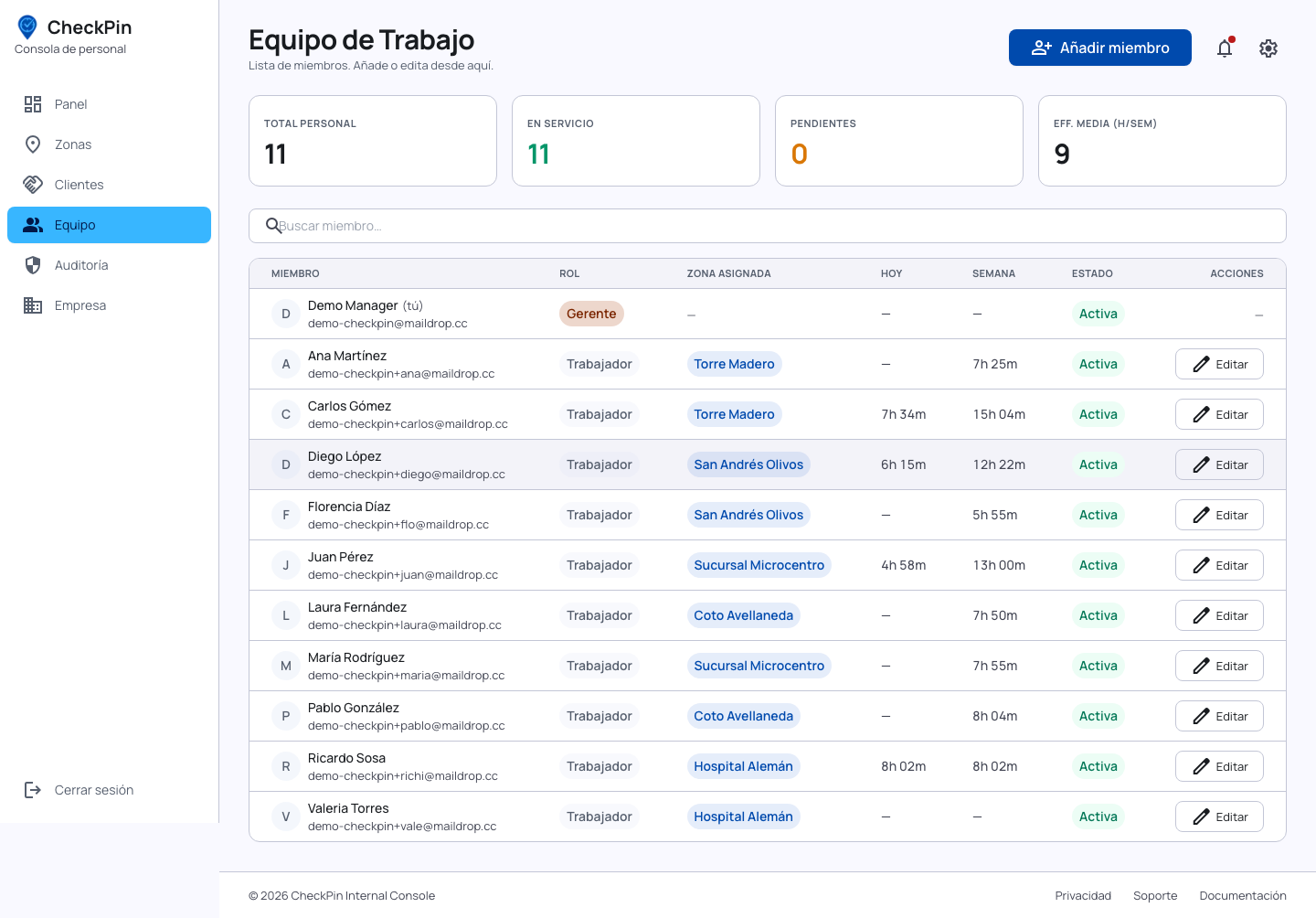
Know who is at each post, in real time
- check_circleOne place for your whole workforce: security, cleaning, maintenance.
- check_circleEvery employee has an assigned site. They cannot clock in anywhere else.
- check_circleSupervisors see only their team. The owner sees everything.
- check_circleA full history per employee: clock-ins, clock-outs and tasks.
Do you outsource security or cleaning staff?
Plenty of security and cleaning companies use CheckPin to track the people they send to their customers, and hand the reports over as proof of service. If you are the end customer, you can also ask your provider to use CheckPin and get supervisor access.
Answers before you ask for the demo
How do you make sure the worker really is where they say they are?
We use a geofence: clocking in only works inside the assigned perimeter. On top of that, any patrol or task can require a photo as proof, stamped with location and timestamp.
My security staff do not have smartphones — can they still use it?
A modern smartphone is not required. Any phone with a web browser and mobile data is enough. With no data at all, the supervisor can record the attendance.
Do you handle temporary staff or weekend cover?
Yes. Adding someone is instant and there is no cap on employees. Invite the cover, assign their site and schedule, and remove them when the job ends. No paperwork.
Can it be used for construction sites or temporary events?
Yes. Each site or event is a zone you create and close when it ends. Ideal for tracking temporary staff across several locations at once.
What reports are available?
Hours worked per employee and per site, clock-ins outside the schedule or outside the geofence, completed versus pending tasks, and a full timeline with photos. All exportable to CSV.
Stop calling to find out if they arrived
See on your screen who clocked in, at what time and at which customer. Ask for your free demo.