The clock-in that gets rejected when your team is not on site
Your cleaners, guards and technicians clock in from their phone the moment they reach the site. Outside the geofence or outside the shift window, the system blocks it. Assign tasks with photo evidence, message your team and export payroll reports — all from the browser, nothing to install.
No card. Nothing to install. Your first site running in 5 minutes.

Running teams across customer sites is hard
If you cannot confirm when they arrived or whether they finished their round, you lose the customer's trust.
Did the relief shift show up on time?
Paper sheets at the guard post or the depot prove nothing about who was actually there at the agreed time.
Service never delivered
The customer claims the cleaning or the patrol never happened, and you have no way to prove otherwise.
Supplies run out
Material requests arrive late over WhatsApp and get lost in the thread, leaving the crew without what they need.
Here is how it works
Three steps, and nothing to install at the customer site.
Draw your site
Mark the working area on the map. Clock-ins only go through inside that perimeter.
Invite your team
Your crew signs up in seconds from their own phone. No expensive hardware, no installation.
Track presence
Get real-time alerts when someone does not arrive or leaves the site early.
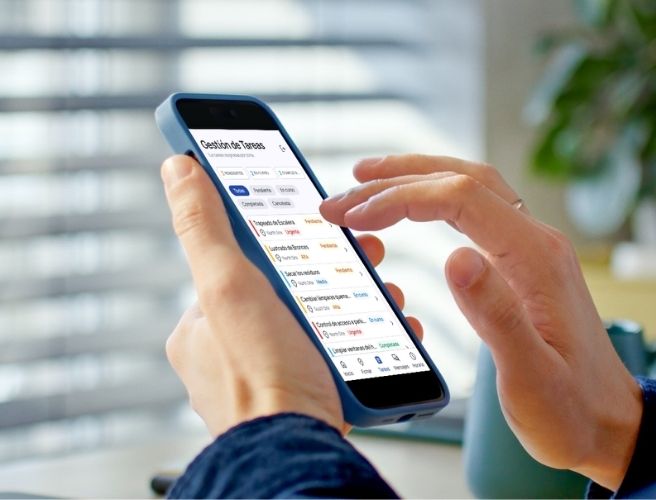
Assign the task, require the photo, review it all from one dashboard
Knowing your team arrived is not enough. You need to know what they did. CheckPin gives you photo evidence of every patrol, every clean, every inspection.
Manager / Supervisor
You create the task, assign it to someone on a site and set the priority. Everything is recorded.
Field worker
Gets the task on their phone, starts it, attaches photos as proof it was done, and marks it complete.
Supervisor reviews
Sees the status of every task: who finished, who is still pending, and the evidence photos. All under an immutable audit trail.
Real proof the service was delivered
Built for companies whose people are spread across sites.
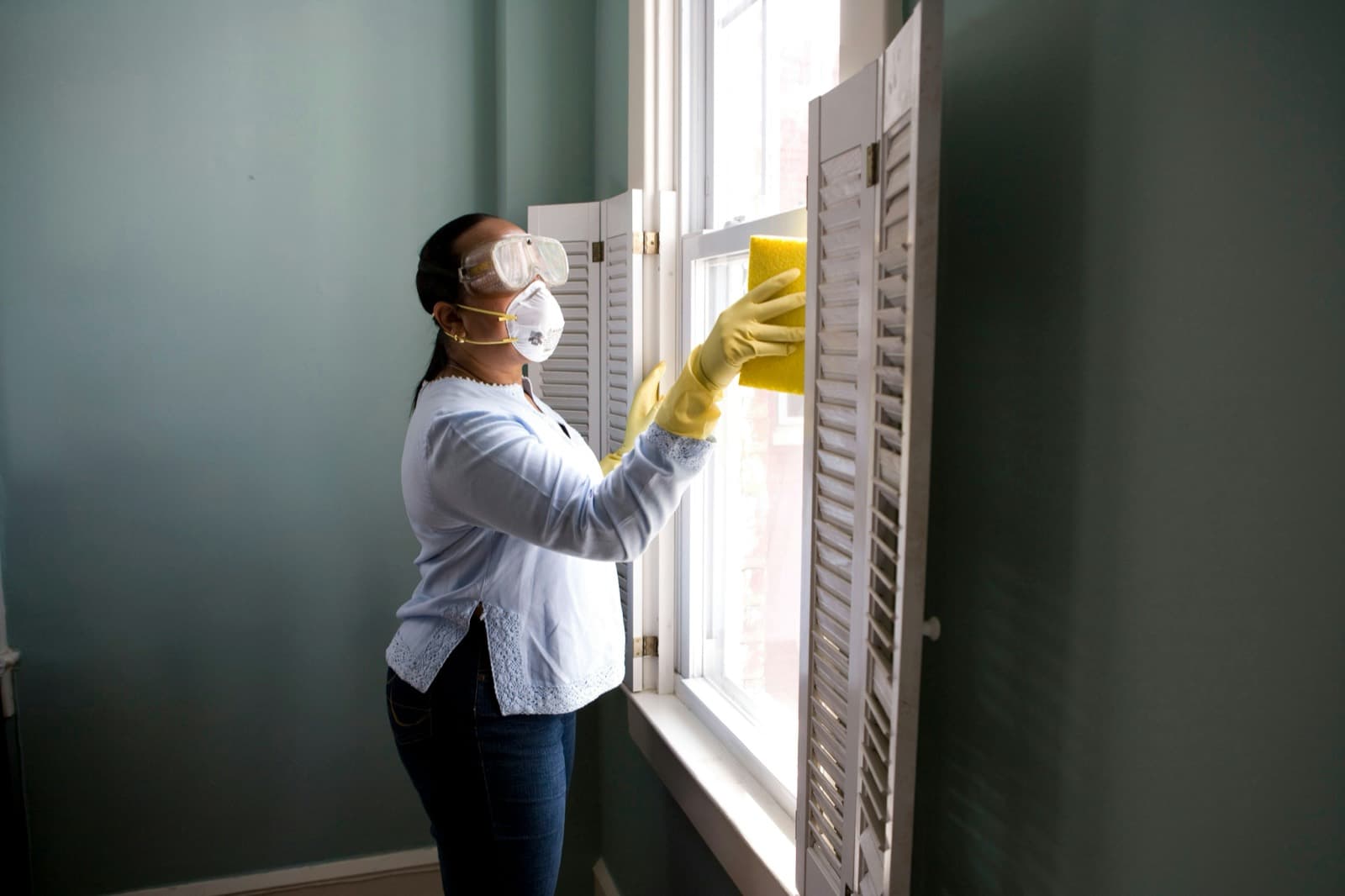
Proof the clean or the patrol was finished
Assign a task checklist per site. The worker ticks it off and attaches a photo as proof the round or the cleaning area was completed.
Strict geofence per customer
The clock-in is blocked when the guard or the maintenance technician is not physically at the customer site.
Flexible shifts per site
Define several time windows per day for each site. Workers can clock in during any of their shifts, but not in the gaps between them.
Supervisors per area
Assign supervisors to groups of customers. They only see the status of the sites assigned to them, which keeps their job simple.
Reports for your customer
An immutable history of attendance and completed tasks to attach to the invoice for your services.
Inspection-ready records
Every attendance record is immutable and auditable, with version history per site — the evidence you need when an inspection or a claim lands on your desk.
What changes when the clock-in actually means something
This is not about having one more record: it is about trusting the timesheet you are about to pay.
You see who is there without making a single call
The live dashboard tells you in a second who clocked in, who is still pending and who tried to clock in from outside. No more "on my way, almost there".
Payroll takes hours, not a day
Hours per worker per day export straight to CSV. Hand it to your accountant or your payroll system without rebuilding it by hand.
When the inspector comes back, you have an answer
Every clock-in, every site change, every role change sits in an audit trail that cannot be edited. Yesterday’s site is still yesterday’s site.
Your team installs nothing
The worker opens their phone browser, clocks in, done. No app download, no WhatsApp, no permission prompts.
Why CheckPin instead of what you use today?
What each option actually solves about your team clocking in.
CheckPin
- Checks location before accepting✅
- Rejects clock-ins outside the site or the shift✅
- Immutable audit trail with site history✅
- Spoofed-GPS detection✅
- Photo clock-in when GPS fails✅
- Per-site tasks with photo evidence✅
- Built-in chat and supply requests✅
- Supervisors assigned per site✅
- Spots the absence, picks the replacement and writes to them✅
- No hardware to buy✅
- No app to download✅
- Live dashboard per site✅
- Payroll reports (CSV)✅
- Start free, no sales call✅
- Versioned history of every site✅
WhatsApp-based app
- Checks location before accepting✅
- Rejects clock-ins outside the site or the shift✅
- Immutable audit trail with site history❌
- Spoofed-GPS detection❌
- Photo clock-in when GPS fails➖
- Per-site tasks with photo evidence➖
- Built-in chat and supply requests✅
- Supervisors assigned per site❌
- Spots the absence, picks the replacement and writes to them❌
- No hardware to buy✅
- No app to download✅
- Live dashboard per site➖
- Payroll reports (CSV)✅
- Start free, no sales call✅
- Versioned history of every site❌
Biometric time clock
- Checks location before accepting➖
- Rejects clock-ins outside the site or the shift✅
- Immutable audit trail with site history➖
- Spoofed-GPS detection➖
- Photo clock-in when GPS fails❌
- Per-site tasks with photo evidence❌
- Built-in chat and supply requests❌
- Supervisors assigned per site➖
- Spots the absence, picks the replacement and writes to them❌
- No hardware to buy❌
- No app to download➖
- Live dashboard per site➖
- Payroll reports (CSV)✅
- Start free, no sales call❌
- Versioned history of every site❌
Paper / loose WhatsApp
- Checks location before accepting❌
- Rejects clock-ins outside the site or the shift❌
- Immutable audit trail with site history❌
- Spoofed-GPS detection❌
- Photo clock-in when GPS fails➖
- Per-site tasks with photo evidence❌
- Built-in chat and supply requests➖
- Supervisors assigned per site❌
- Spots the absence, picks the replacement and writes to them❌
- No hardware to buy✅
- No app to download✅
- Live dashboard per site❌
- Payroll reports (CSV)❌
- Start free, no sales call✅
- Versioned history of every site❌
Verified against public sources as of July 2026. For the exact detail of each solution, check with the vendor.
Start free. Grow with your customers.
No credit card. Cancel whenever you want. Your data, always exportable.
Free
To try it on a single customer or a small site.
- check_circleUp to 3 users (the whole team)
- check_circle1 site (customer)
- check_circleLive dashboard + CSV reports
- check_circleBasic audit trail
- check_circleNo card, no expiry date
Pro
For growing field service companies.
- check_circleUp to 30 users
- check_circleUp to 10 sites (customers)
- check_circleShifts and schedules per site
- check_circlePhoto tasks and supply requests
- check_circleReports per worker and per period
- check_circleSpoofed-location detection
Enterprise
For large operators with several supervisors.
- check_circleUnlimited staff and sites
- check_circleSupervisors assigned per site
- check_circleAdvanced roles (Manager, Coordinator)
- check_circleMulti-company (several legal entities)
Create your free account and run your first site today. Write to us to activate Pro, and for large operations we will put together the plan that fits.
No risk in trying: if it is not for you, take your data and you paid nothing.
- credit_card_offNo credit card
- all_inclusiveThe free plan never expires
- timerSet up in 5 minutes
- downloadYour data, exportable to CSV whenever you want
What you are probably wondering
Do my employees need to download an app?
No. Workers clock in from their phone browser. You email them an invite link, they sign up, and they clock in and out from that same phone with nothing installed.
Does it work for cleaning, retail, security, construction?
Yes. CheckPin is built for teams working on site or across several sites: cleaning, retail, security, maintenance, hospitality, logistics. If your people are spread out and you need to know they are there, it fits.
How do I know the clock-in really happened on site?
Because the system rejects it when the device GPS falls outside the circle you drew. It is not a "GPS stamp" the worker sends and you accept: outside the perimeter, no clock-in. You see the rejected attempt on the dashboard.
What if a worker has a different schedule or rotates shifts?
Each site has its own time windows, and you can define more than one shift per day. If a worker keeps different hours from the site, you can assign them a personal schedule. Outside those windows the clock-in is blocked.
Does it hold up for a labour inspection or a worker claim?
Yes. Every clock-in and every change — site, schedule, role — lands in an immutable audit trail. Sites also keep version history: the site as it was on 12 March is still the site as it was on 12 March, even if you move it today.
How long does it take to set up?
Five minutes to create your first site. Adding your team takes as long as sending the invite emails — they sign themselves up.
What happens to my company and employee data?
Data is isolated per company (multi-tenant). We do not share or sell personal data. You can export your report to CSV whenever you want and delete what you need to delete.
What does it cost?
You start free, no card. The free plan covers small teams (up to 3 people, 1 site) and never expires. Pro is USD 80 per month for up to 30 users and 10 sites. For larger operations with several supervisors, we quote to fit.
Is it only for clocking in, or also for tasks and supplies?
Beyond the geofenced clock-in, CheckPin includes per-site tasks with photo evidence, chat between worker and supervisor, and supply requests (cleaning products, batteries and so on) the supervisor approves from the dashboard. All in the same phone browser, nothing installed.
Can I have several supervisors who each see only their own sites?
Yes. You assign each supervisor to the sites they run, and they only see the people and the clock-ins for those sites. The rest of the team is invisible to them. Ideal for operations with many sites and many leads.
Can I assign tasks and require photos as proof?
Yes. The supervisor creates the task and assigns it to a worker on a site; the worker handles it from their phone — starts it, attaches a photo of the clean or the patrol, and marks it complete. It is all recorded with photo evidence and an immutable audit trail.
What happens when a worker does not show up? Who covers?
CheckPin notices on its own. If someone's shift is open and they have not clocked in, the absence surfaces on the Cover screen without you looking for it. From there CheckPin weighs up your whole team — who is free, who is not already covering another site, who is closest (by their last clock-in or their home address) — picks the best candidates and writes the message asking them to cover. You review it, send it, and the worker accepts or declines from their chat. The site is assigned to them only if they accept, until the shift ends. No more calling everyone one by one.
Start verifying presence today
No card. Your first site, with tasks and photo evidence, ready in 5 minutes.